How to Choose the Right SD Card for a Trail Camera
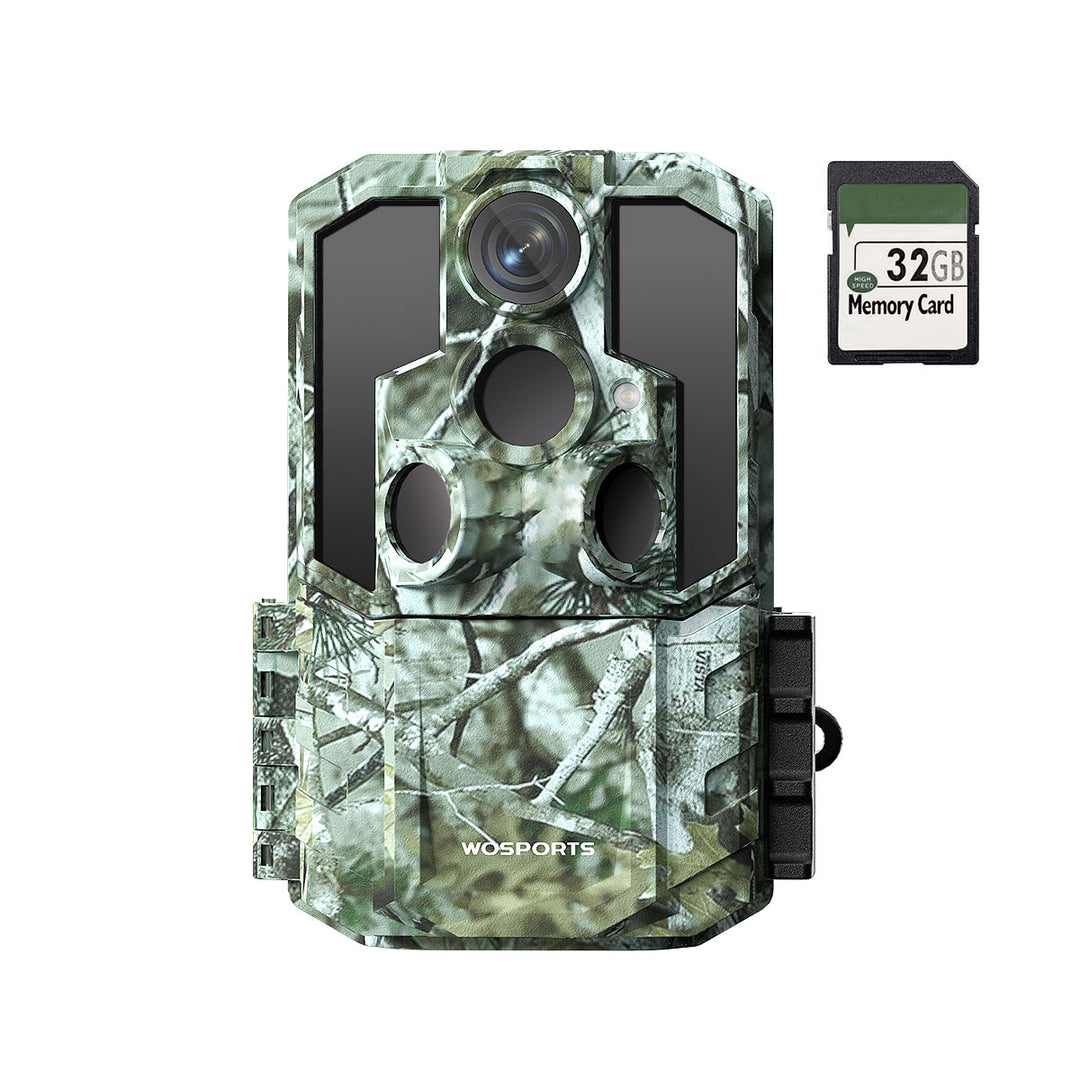
Choosing the right SD card for a trail camera can help prevent recording problems, corrupted files, and missed wildlife footage. However, not every memory card works equally well with every camera.
Before buying a card, check your trail camera's supported card type, maximum capacity, speed requirements, and recommended formatting method. Then choose a reliable card that matches your camera's specifications and the way you plan to record photos and videos.
This guide explains what to look for in a trail camera SD card, how to install and format it, and how to troubleshoot common memory card problems.
1. Check Which SD Card Type Your Trail Camera Supports
The first step is to confirm the exact memory card format your camera requires.
Many trail cameras use a standard SD or SDHC card, while other devices may support SDXC cards or different storage formats. These formats are not automatically interchangeable across all cameras.
Check your camera's user manual or product specifications for:
-
Supported card format: SD, SDHC, or SDXC.
-
Maximum supported storage capacity.
-
Required speed class, if specified.
-
Whether the camera supports microSD cards directly or through an adapter.
-
The recommended file system and formatting procedure.
Important: Do not assume that a card will work simply because it fits into a slot. A card's capacity or format may exceed what an older camera supports.
If the manufacturer specifies a maximum capacity, stay within that limit unless compatibility with a larger card is explicitly confirmed.
2. What SD Card Capacity Is Best for a Trail Camera?
SD card capacity determines how many photos and videos the camera can store before the card becomes full. The amount of footage you can save depends on image resolution, video length, file size, and how frequently the camera records.
For example, a camera that records frequent 4K videos will generally consume more storage than one taking occasional still photos.
When selecting capacity, consider:
-
How many days the camera will remain in the field.
-
Whether you use photo mode, video mode, or both.
-
How frequently animals trigger the camera.
-
How often you can visit the location to retrieve files.
-
Whether the camera overwrites older files when storage is full.
The most important rule is to choose a capacity supported by your specific camera. A larger card is not necessarily a better choice if the camera cannot recognize it.
For a more detailed capacity calculation, see our guide: How Much SD Card Storage Does a Trail Camera Need?
3. Understand SD Card Speed Ratings
SD cards may display speed markings such as Class 10, U1, U3, or a video speed class. These ratings indicate different minimum sustained write-speed requirements or performance categories.
Why does this matter? When a trail camera records high-resolution photos or video, it must write the captured data to the memory card. A card that does not meet the camera's requirements may cause recording interruptions or errors.
Common markings include:
| Speed marking | General meaning | What to check |
|---|---|---|
| Class 10 | Minimum sequential write speed of 10 MB/s under the standard | Whether it meets your camera's requirements |
| U1 | Minimum sequential write speed of 10 MB/s | Whether the supported card type and speed are compatible |
| U3 | Minimum sequential write speed of 30 MB/s | Whether the camera supports and benefits from this rating |
| V30 | Video speed class with a minimum sequential write speed of 30 MB/s | Whether the camera recommends this class for its recording modes |
These ratings are not a guarantee of compatibility. A card can have a high speed rating and still be unsuitable for a particular camera because of capacity, format, or other restrictions.
For most users, the best approach is to follow the camera manufacturer's minimum requirements rather than paying extra for the highest speed rating available.
4. Do You Need a High-Speed SD Card for 4K Trail Camera Video?
4K video produces more data than lower-resolution video in many recording configurations, so the camera needs a memory card capable of keeping up with its recording process.
However, the exact speed requirement depends on the camera's video bitrate, recording format, and internal design. The label “4K” alone does not determine the minimum card speed.
Before purchasing a card for 4K recording:
-
Check the camera's specified SD card requirements.
-
Confirm the maximum supported card capacity.
-
Choose a card with a compatible speed rating.
-
Test the card by recording and playing back several clips.
-
Confirm that the files save correctly without recording errors.
A compatible card that meets the camera's requirements is generally a better choice than an expensive card selected solely because it advertises a very high speed.
5. Should You Buy a Full-Size SD Card or a microSD Card?
The correct format depends on the camera's physical card slot and supported specifications.
Full-size SD cards are commonly used in many trail cameras and can be convenient to remove and handle outdoors.
microSD cards are smaller and may be used in devices designed specifically for that format. Some microSD cards can be inserted into a full-size SD adapter, but this does not guarantee compatibility with every trail camera.
Before buying, check:
-
The physical card slot.
-
The card formats supported by the camera.
-
The maximum supported capacity.
-
Any manufacturer restrictions on adapters.
If the camera manual specifies a standard SD card, using that format is generally the simplest option.
6. How to Format an SD Card for a Trail Camera
Formatting prepares a memory card for use with a device. It can also help resolve certain file-system problems, but it deletes existing data.
Back up any photos or videos you want to keep before formatting.
For most trail cameras, the following workflow is a sensible starting point:
-
Copy any important files from the card to a computer or another storage location.
-
Insert the card into the camera while the camera is powered off, following the manual's instructions.
-
Turn on the camera and open its settings menu.
-
Find the format or memory card option, if available.
-
Confirm the operation only after checking that the correct card is inserted and the files have been backed up.
-
Wait for formatting to finish before recording new footage.
Formatting in the camera is often preferable because the camera can prepare the card according to its own requirements.
If the camera does not provide an in-camera format option, follow the manufacturer's recommended procedure. Do not choose a file system at random; the correct format can depend on card capacity and camera compatibility.
7. How Often Should You Format a Trail Camera SD Card?
There is no universal schedule for formatting a trail camera card.
You generally do not need to format a healthy card after every visit. Instead, consider formatting it when preparing it for a new monitoring period, after backing up important files, or when the manufacturer recommends it.
Formatting may help resolve some file-system issues, but it is not a substitute for replacing a failing card.
A practical routine is to:
-
Back up important photos and videos regularly.
-
Check the card for errors if the camera reports a problem.
-
Format the card using the camera's recommended procedure when appropriate.
-
Replace cards that repeatedly fail, become unreliable, or show signs of physical damage.
Never format a card before saving any footage you want to keep.
8. Why Is My Trail Camera Not Recognizing the SD Card?
If your camera displays a card error or says no card is inserted, start with the simplest checks.
The card is incompatible
The card may exceed the camera's supported capacity or use an unsupported format.
Solution: Verify the specifications in the manual and test with a compatible card.
The card is inserted incorrectly
Some cards can appear to be inserted while not making proper contact.
Solution: Turn off the camera and reinsert the card according to the manufacturer's instructions.
The card is damaged
Physical damage or file-system errors can prevent a camera from reading a card.
Solution: Back up accessible files and test with another compatible card. Replace the original if errors continue.
The card has not been formatted correctly
A card formatted for another device may not work as expected in a trail camera.
Solution: Back up the files and format the card using the camera's recommended procedure.
The camera's card slot needs attention
Dust, moisture, or damaged contacts may affect card recognition.
Solution: Follow the manufacturer's cleaning instructions. Do not insert liquids or metal objects into the slot.
If the camera cannot recognize multiple compatible cards, consult the manufacturer's troubleshooting guidance.
9. Why Is My Trail Camera Saving Photos but Not Videos?
If photos save correctly but videos do not, the issue may involve card compatibility, available storage, camera settings, or a recording problem.
Try these steps:
-
Confirm that video mode is enabled and the selected recording length is supported.
-
Check whether the card has enough free space.
-
Verify that the card meets the manufacturer's recording-speed requirements.
-
Test with a known-compatible card.
-
Review the saved files on a computer or another compatible device.
-
Update or reset camera settings only according to the manufacturer's instructions.
If the problem persists across multiple compatible cards, the camera may need further troubleshooting.
10. How to Protect Your SD Card in the Field
Trail cameras often remain outdoors for extended periods, so handling and storage matter.
Follow these practical habits:
-
Turn off the camera before removing the card unless the manual explicitly supports another procedure.
-
Keep the card away from water, dirt, and excessive heat.
-
Avoid touching the card's metal contacts.
-
Store spare cards in a protective case.
-
Label cards if you use multiple cameras or locations.
-
Back up important footage before reusing a card.
-
Replace cards that show repeated errors or physical damage.
If you manage several cameras, keeping a separate card for each location can also make footage easier to organize and reduce the chance of mixing up recordings.
Frequently Asked Questions
What is the best SD card for a trail camera?
The best card is one that meets your camera's supported format, maximum capacity, and speed requirements. Check the user manual before purchasing, rather than selecting a card based on brand or speed rating alone.
Can I use a 128GB SD card in my trail camera?
Only if your camera supports that capacity and card format. Some models support larger cards, while others have lower limits. Check the specifications for your exact model.
Does an SD card affect trail camera picture quality?
The card does not directly improve the camera sensor's image quality. However, an incompatible or unreliable card can cause recording failures, missing files, or other storage problems.
Can I use the same SD card in multiple trail cameras?
Sometimes, but compatibility and file-system differences may cause problems. Back up important files and follow each camera's formatting instructions before moving a card between devices.
Should I format a new SD card before using it?
Follow the camera manufacturer's instructions. If the manual recommends formatting the card in the camera before first use, do so after confirming that the card is compatible.
Why does my trail camera say the SD card is full?
The card may have reached its storage limit, or the camera may not be configured to overwrite older files. Retrieve important footage, check the camera's overwrite settings if available, and confirm that the card is functioning properly.
Final Takeaway
Choosing the right SD card for a trail camera comes down to compatibility, reliable recording, and proper maintenance. Check the supported format and capacity, meet the recommended speed requirements, and use the manufacturer's formatting procedure.
A compatible, well-maintained card helps protect your recordings and reduces the risk of missing important wildlife activity.
Search
Popular Posts
Recent Posts


Nov 28, 2024
Troubleshooting Common Trail Camera Issues
Jan 10, 2025
Why Does My Trail Camera Stop Working at Night?